

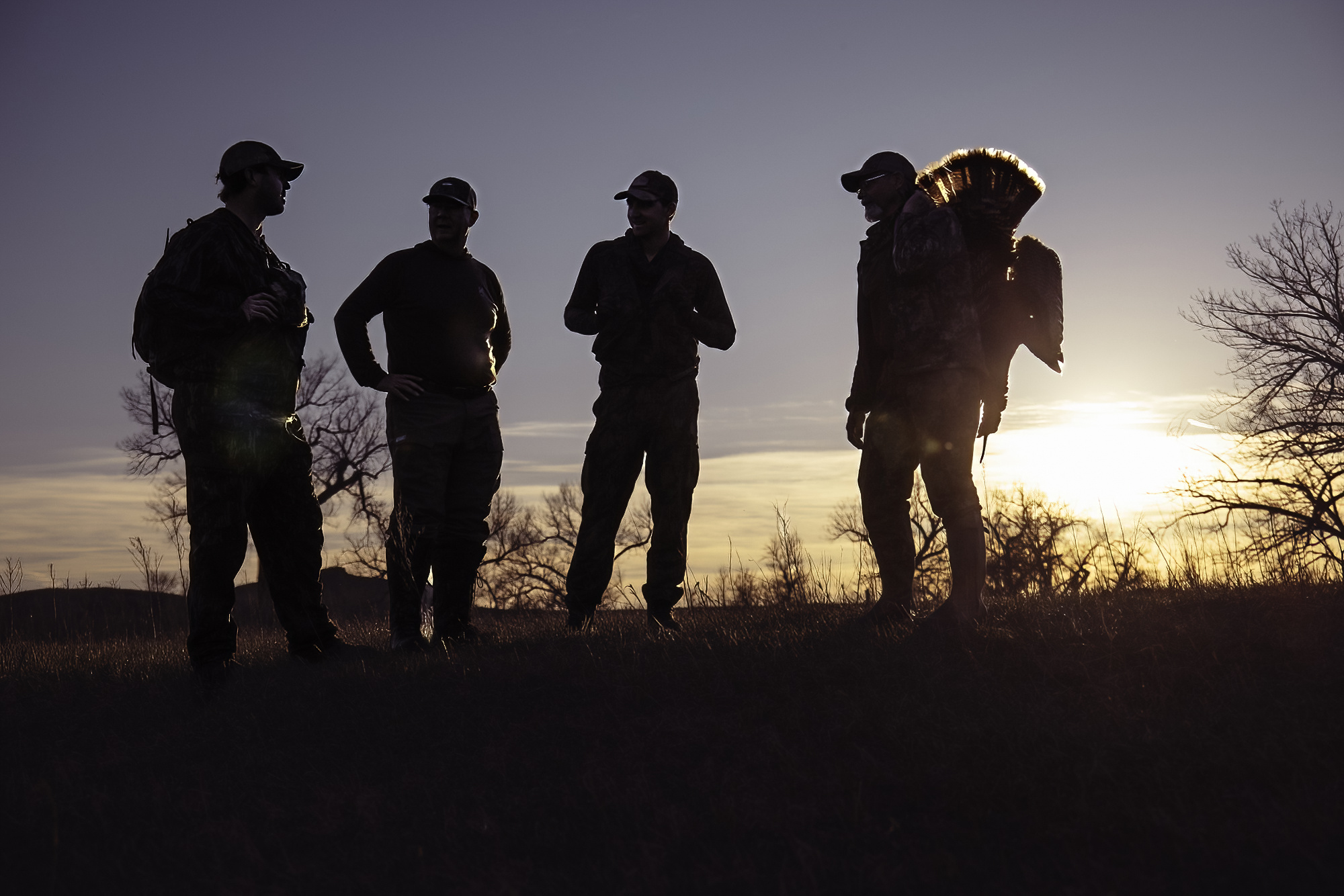
The turkey-hunting success senior editor Ryan Chelius and I enjoyed in South Dakota in early April was the result of scouting and patterning early-season flocks of twenty birds or more. As our guide, Lake Pickle of onX, put it: “When they’re bunched up, you kill more on your butt than you will on your feet.” The trick is knowing where and when to plant your butt, and that means figuring out what the turkeys do all day. OnX is much more than a tool to tell you who owns what and where to find public land. Valuable as that information may be, it’s only the beginning of what you can do with the app.
In the case of our South Dakota hunt, the “deciduous trees” layer identified likely roost spots where trees are at a premium. From that point, boots-on-the-ground scouting revealed where the birds spent their time and what route they traveled. Chelius and I filled our tags in back-to-back afternoon hunts as a result. By the time it was my turn to shoot, we had the birds well enough patterned that, after a morning sit, we could pile logs and sticks around a cottonwood to make a rustic blind, then sneak back to the lodge for a nap. We returned about 90 minutes before the tom was due to show up, which it did, flying across the river as we had predicted, then strutting and gobbling to the call.
During our post-nap break before that afternoon hunt, Pickle walked us through some onX features that can give you a head start on scouting before you ever set foot in the woods. The app lets you turn on and off numerous layers showing tree types, elevation, disturbances, and more, plus there is a wealth of pin types and colors that let you get as detailed about your scouting as you’d like.
1. Apply the Trees, Crops, & Soil Layer to Identify Habitat
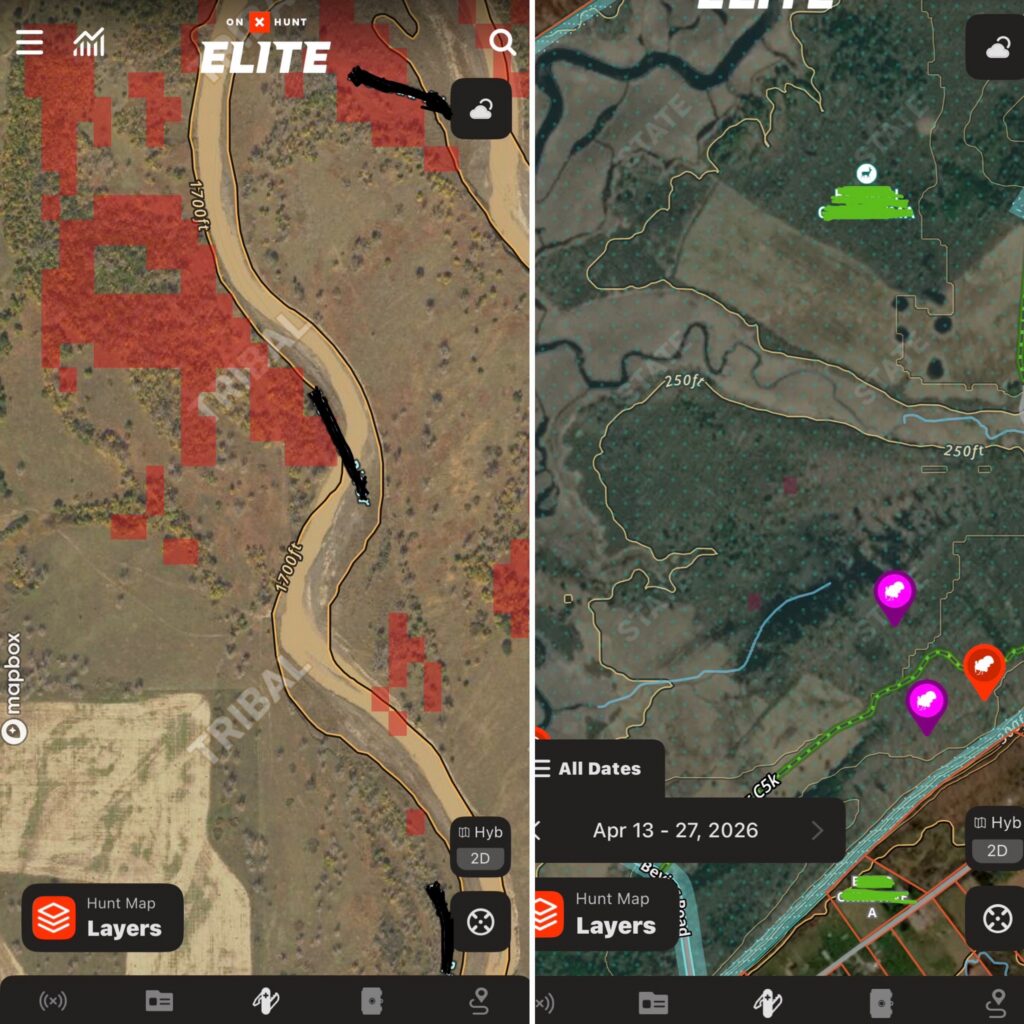
A diversity of habitat, edges, open areas, water, and different types of forests makes an area attractive to turkeys. Where Pickle hunts at home in Mississippi, that means using the “deciduous vs coniferous forest” layer to find hardwoods that offer roost areas. Up north, it can show you the same, plus in areas where there’s lots of cutting, the “young aspen forest” layer reveals early-succession habitat where turkeys nest and forage. Other layers help you find recently burned areas that turkeys love and, by using the many layers available, pinpoint where turkeys might live in your area. “Recent imagery,” although a little blurry, can show you rising or falling water levels.
How to Use
To use the habitat layers above, open your onX app and tap the “hunt map layers” icon in the bottom-left corner. Then, scroll down and tap the “trees, crops, and soil” folder. Once you’re in the folder, you can toggle on any specific layer you’d like to see. Back on your map, the areas corresponding to the habitat will be highlighted. The “deciduous vs coniferous forest” layer will be in red and dark yellow, and the “young aspen forest” layer will appear in purple.
To use the recent imagery tool, first make sure your onX app is updated. Then, in the app, click the “Hyb 2D” square in the bottom right corner. Once the tab opens, scroll to the bottom and toggle “recent imagery” to on. Now, you’ll be viewing the most recent photo of the area. Hunters can view images all the way back to March of 2023 by changing the recent imagery date in the bottom left-hand corner, right above the hunt layers tab.
2. Use the 3D Topo Map and Elevation Bar to Find Roost Areas
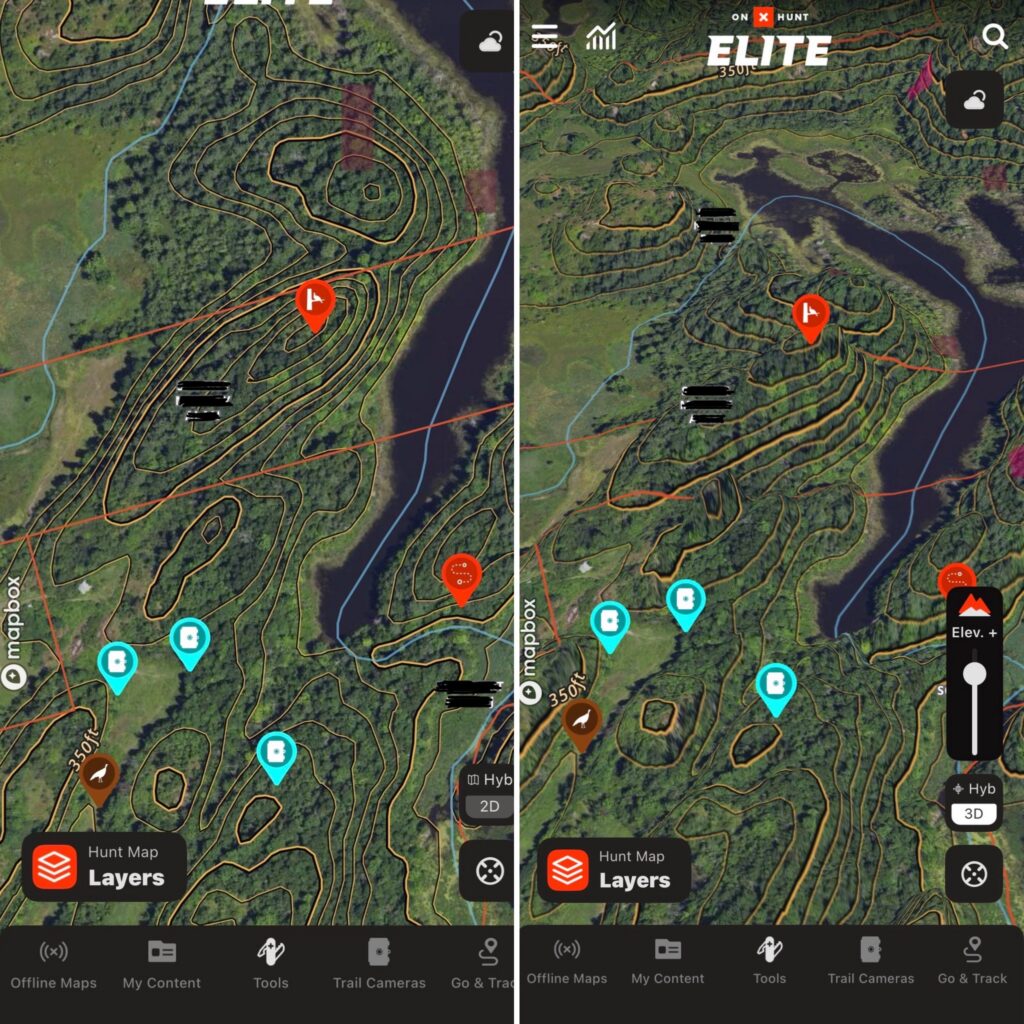
The topo map feature gives you the information you need to predict where a bird might roost. While the topo lines can help you quickly identify potential roost areas, the 3D map view gives you an even better visual of the location. Search your area for high spots with deciduous trees, and you’ve found potential roosts. Then, switch to the 3D map view that includes HD LiDAR. For those of us who have a hard time translating topo lines on a map into terrain features, the LiDAR layer shows a 3D picture that even I can understand. The LiDAR “elevation feature” even lets you exaggerate elevations to show every last wrinkle in the ground. In some of the flat places I hunt at home, dialing up the elevation reveals subtle changes and wrinkles in the ground that might keep a turkey from seeing me, or me from seeing a turkey.
How to Use
Start by locating a potential roost area via the “deciduous vs coniferous forest” layer and topo lines. Once you’ve got a spot, tap the “Hyb 2D” square in the bottom right corner. When the tab opens, tap the “3D Map” button in the top right. Now you can use both fingers to spin the map 360 degrees. Finally, adjust the “Elev. +” bar in the bottom right to exaggerate the map and get a better lay of the land.
3. Pinpoint Gobbles with Compass Mode
Pickle showed us the “Compass mode,” and at first I thought, okay, it’s a needle that points at a turkey. So what? Then my season at home opened, and I used it all the time, for scouting and for hunting. It’s simple and surprisingly useful. Turn it on, and a long “needle,” actually a bar with stadia markings on it, appears. Point your phone at the sound. If you can tell where the gobble came from, say, a ridgetop, you can touch the rangefinder icon and drop a pin. “Compass mode” helped me figure out whether the bird I struck in a bottomland timber was on my side of the river or not. It was. And, since I did not kill that turkey, although perhaps I should have, I will pronounce on onX to be a great aid in the field, but not a cheat code.
How to Use
Open your onX app, and click the location button in the bottom right. A direction arrow will appear on the same button (sometimes this takes two clicks). Once the directional arrow is there, click the compass button above to enter “compass mode.” Now you can point your phone to where you heard a gobble, and the compass will adjust in real time. Once you have a direction, click the rangefinder icon on the right and adjust the red line with your finger to measure the distance. After that, you can drop a pin so you know where to go.
content_turkey-hunting,content_hunting,content_stories

THE 1871 CLUB

Recommended Products
Read the full article here